Basic tutorial
This basic tutorial will teach you how to write and run your own snippet with sni-ppet.
Install sni-ppet extension in Vscode
Install the extension from Vscode Extension Marketplace.
After the installation, open any project in your Vscode, then open the command panel (
ctrl/command + shift + p) and select theSni-ppet Initializationitem.

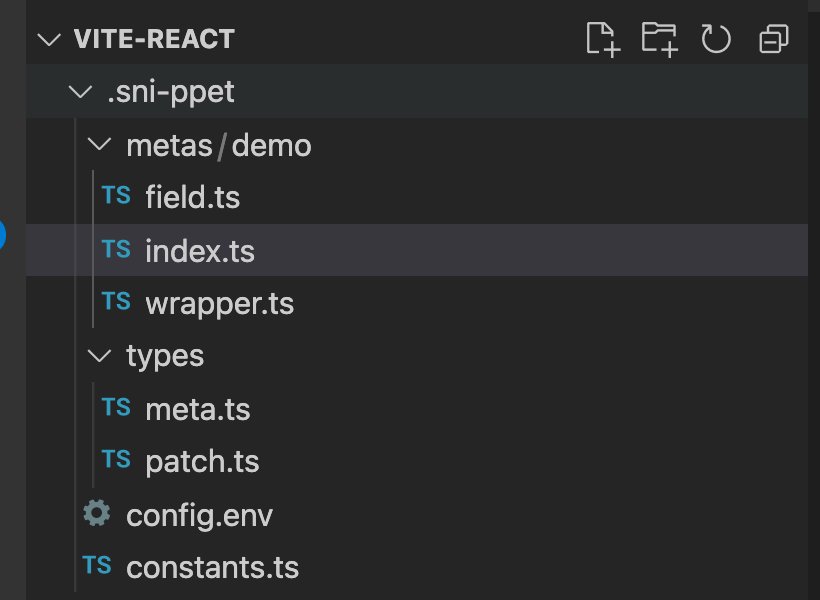
Then a .sni-ppet folder should be generated at the root path of your project now.
TIP
Note that .sni-ppet will be appended automatically to the tail of .gitignore to keep git clean.
Create a new demo snippet
- Create a new folder in
.sni-ppet/metaswith any name (your-snippetfor example).
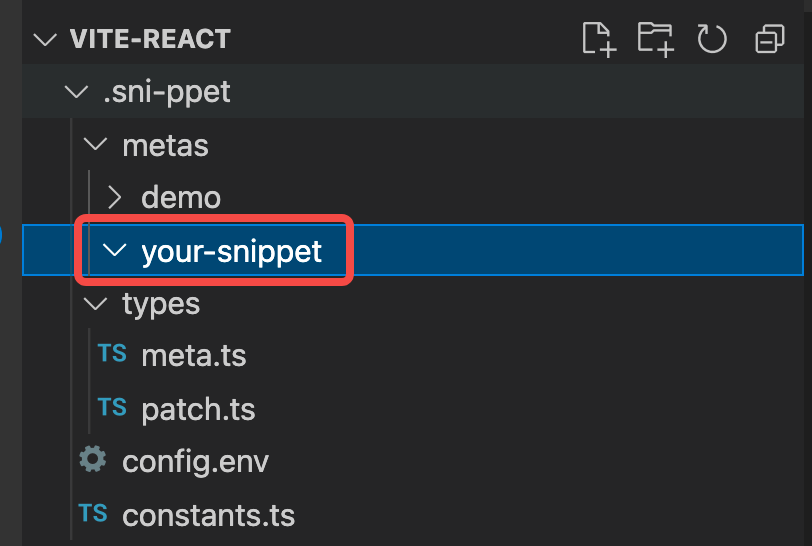
- Create a
index.tsfile in the folder you just created, then fill it with the code below:
import { Meta } from "../../types/meta";

export default [
  {
    /** The keyword to raise the intellisense while typing */
    matchTag: "demo",
    /**
     * The template string of the snippet: symbol `$()` is the slot to generate the
     * dynamic code, which is used together with attribute `items`.
     */
    tpl: "const demo = { slot1: $(slot1), $(slot2), $(slot3) }",
    /** The common slots that all `items` own, for reducing redundancy usage. */
    commonSlots: [],
    /** The intellisense options, whose content of attribute `slots` would be
     * filled to the `$(slot)` part of `tpl` to form the final code.
     */
    items: [
      {
        name: "demo1",
        slots: [
          // (1) with only `replacement`
          {
            name: "slot1",
            replacement: "slot1",
          },
          // (2) with only `replacementFn`
          {
            name: "slot2",
            replacementFn: ({ slotName }) => `${slotName}: () => {}`,
          },
          // (3) with both `replacement` and `replacementFn`
          {
            name: "slot3",
            replacement: {
              key: "val",
            },
            replacementFn: ({ slotName, replacementStr }) =>
              `${slotName}: ${replacementStr}`,
          },
        ],
      },
    ],
  },
] as Meta[];
Run the snippet just created
Reopen the current Vscode window.
Open any js/ts file in editor, type
demothen the intellisense will show like this:

- Select the
demo1and press enter, then the snippet is generated like this:

which is exactly the one you just created!
Create your own snippet
Now you are managed to create a new demo snippet, please feel free to modify it or create a new one by yourself!
For more details of the structure of the snippet meta, please checkout the .sni-ppet/meta/demo folder or the templates repo, which is an advanced demo for formily. It is also a good example application scenarios for this extension by the way.